

Introducing WatchHer
One press. A community that cares.
A panic button key ring designed to connect with the WatchHer app, alert your trusted contacts, and reach participating women nearby when you need support.
No payment required. We'll notify you when ordering opens.
Coming soon

How it works
Step 1
Press your WatchHer key ring
A physical panic button designed to be within easy reach.
Step 2
Your connected phone receives the alert
The key ring signals the WatchHer app on your connected phone.
Step 3
Reach your support network
WatchHer is being developed to alert your chosen emergency contacts and participating members nearby.
Planned functionality is subject to testing. Phone compatibility, connection requirements, permissions, and launch features will be confirmed before orders open. WatchHer is designed to work together with your phone — the key ring is not intended to work on its own, and alerts cannot be guaranteed to reach someone.
Women looking out for women.
WatchHer is being built around a voluntary community. Members choose whether to take part, and support is always about safe assistance.
Support can mean checking in, helping someone contact emergency services, or offering assistance when it is safe to do so.
Read about our community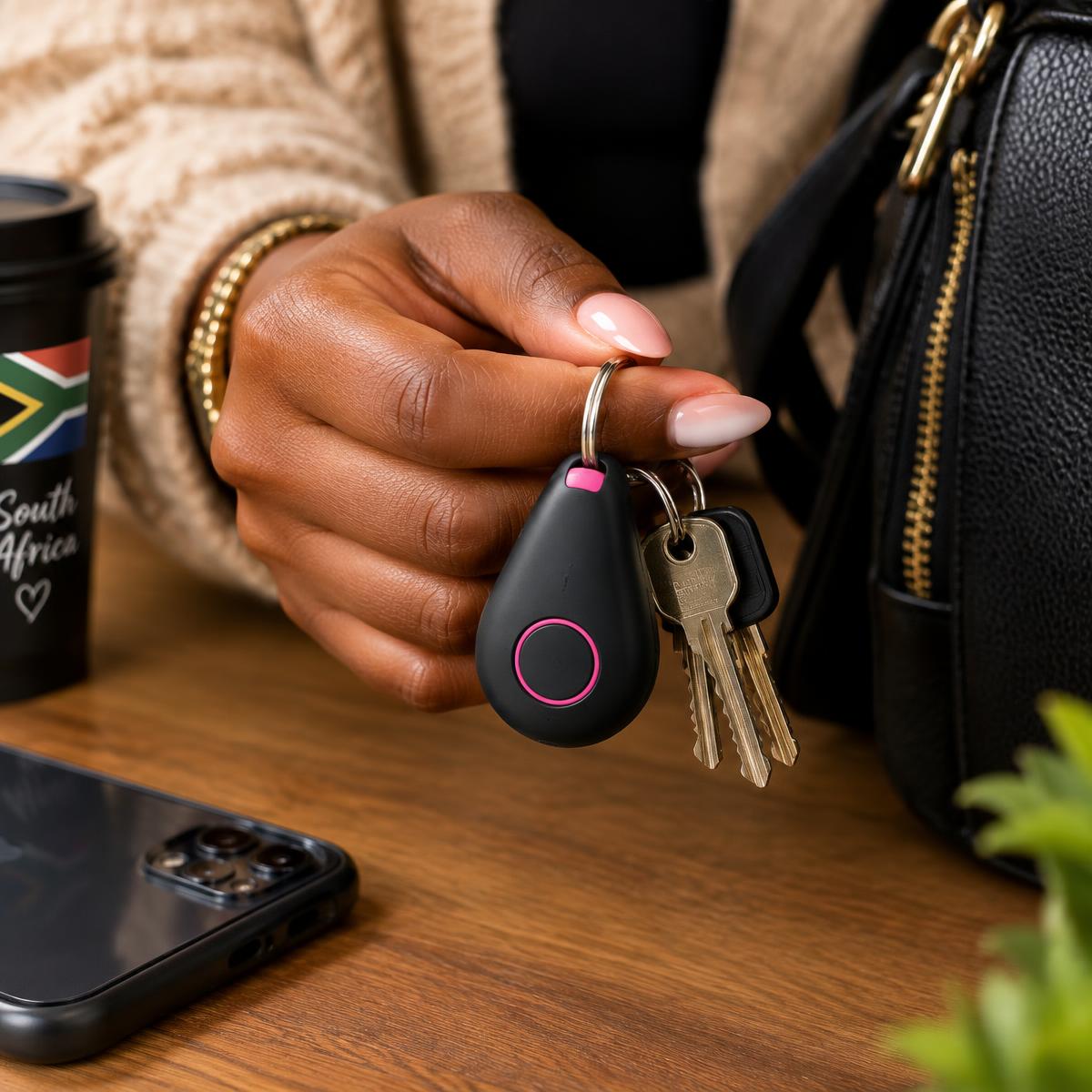
Product concept — final design may vary.
Inside the app
See how the WatchHer app is designed to work
App concept screens — design in progress. Names, numbers and people shown are examples only, and features will be confirmed before orders open.
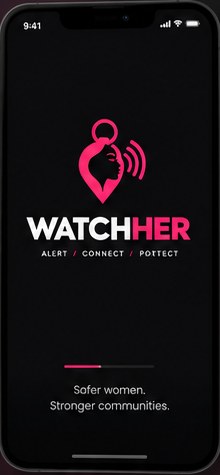
1. Welcome
Open the WatchHer app on your phone.
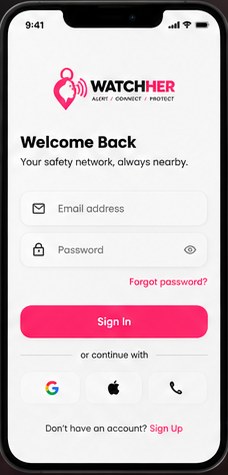
2. Sign in
Log in to your personal safety network.
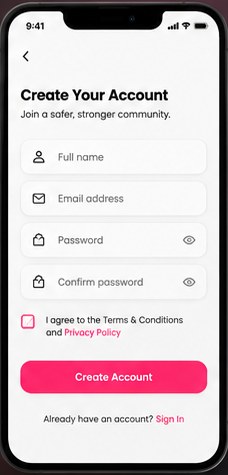
3. Create your account
Sign up and agree to the terms and privacy notice.
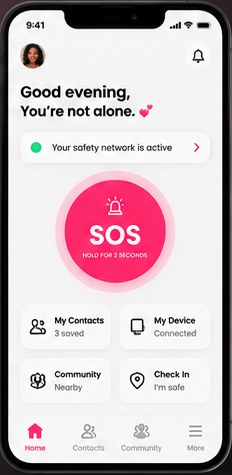
4. Home
See your network status, contacts, device and check-in at a glance.
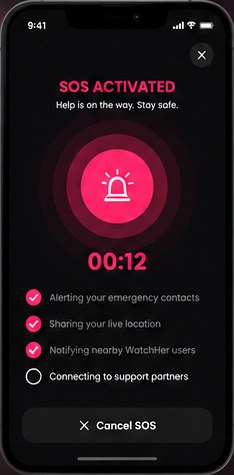
5. SOS activated
Press your key ring or hold SOS — the app is designed to alert your chosen contacts.
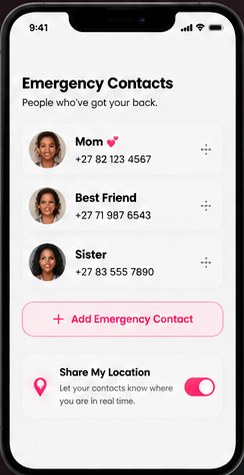
6. Emergency contacts
Choose the people who should hear from you, and whether to share your location.
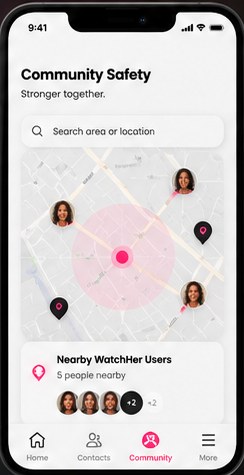
7. Community
Planned opt-in community of women who volunteer to help safely.
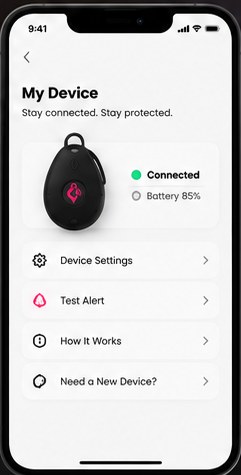
8. My device
Pair your key ring with your phone and send a test alert.
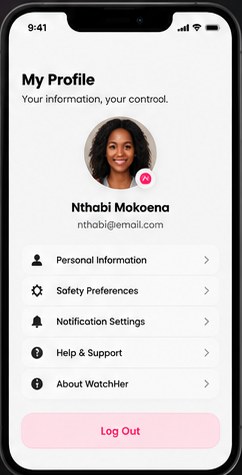
9. Profile & settings
Manage your details, safety preferences and notifications.
Be first to hear when WatchHer is available.
Join our no-deposit pre-order interest list. We'll contact you with confirmed product details, pricing, and availability when ordering opens.